You’re About to Buy a Used iPhone. Are You Sure It’s Clean?
Picture this. You find a great deal on an iPhone 13. The seller seems trustworthy. The price is right. You hand over the money. You come home excited.
And then you discover the iPhone is iCloud locked. Or worse — the IMEI is blacklisted. Or worst of all, it’s a stolen device that gets remotely locked the next day, turning it into a ₹35,000 paperweight.
This isn’t a rare horror story. India’s used phone market is flooded with stolen, blacklisted, and iCloud-locked iPhones — and sellers who know exactly what they’re selling. Most buyers don’t find out until after the money is gone.
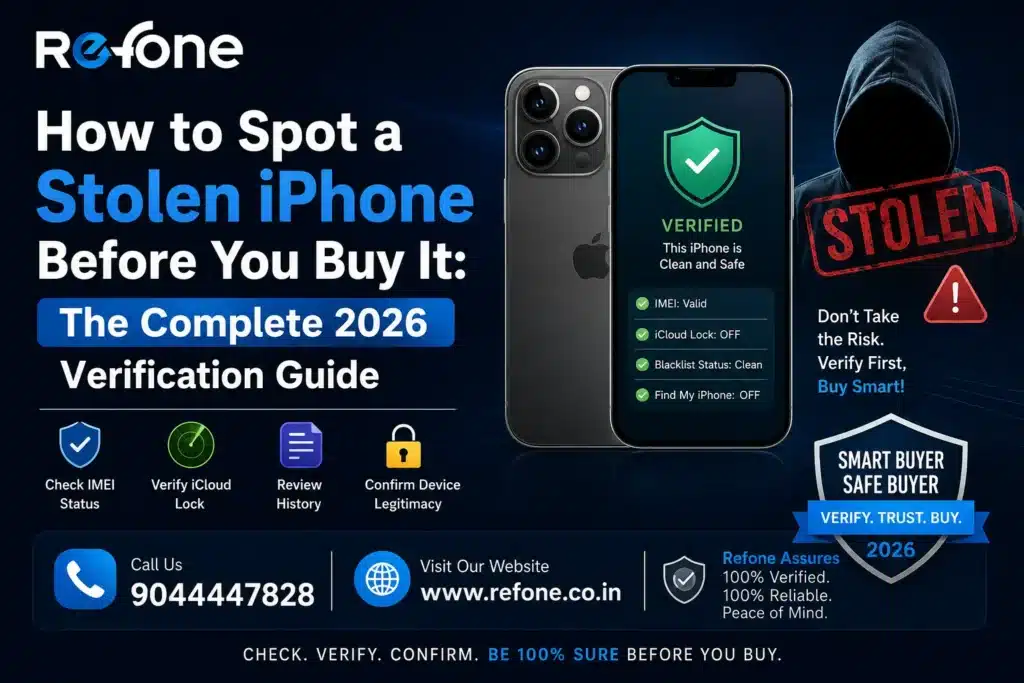
The good news: every single risk is preventable — if you know what to check, and how to check it.
This guide walks you through the complete stolen iPhone verification process. Step by step. In plain language. So you never get burned.
Quick Answer: How to Check if an iPhone is Stolen
To check if an iPhone is stolen before buying: (1) Check the IMEI on India’s CEIR portal at imei.gov.in, (2) Verify iCloud Activation Lock status by going to Settings > [Device Name], (3) Check Apple’s coverage status at checkcoverage.apple.com using the serial number, (4) Request a network carrier check for blacklist status, and (5) Never buy an iPhone that cannot be turned on and verified in person.
Let’s go through each check in detail — with exact steps, free tools, and red flags to watch for.
Read More – Buy Refurbished iPhone 13 in Varanasi — Complete 2026 Guide
Why This Risk Is Very Real in India
According to reports from consumer protection organisations and police cybercrime cells, used iPhone fraud is among the top smartphone-related complaints in India every year.
Here’s how stolen iPhones typically enter the second-hand market in India:
- Stolen in one city, sold in another where the original owner can’t trace it
- Bought through unverified international resellers with missing documentation
- EMI-defaulted phones that are carrier-blocked by the lender
- iCloud-locked phones sold as ‘minor software issue’ to unsuspecting buyers
- IMEI-altered devices where the original number has been tampered with
❌ What happens if you buy a stolen iPhone? The original owner can report it, Apple can remotely lock the device via iCloud, and you are left with a phone that cannot be activated — with no legal recourse, since knowingly or unknowingly receiving stolen goods creates legal liability.
The Complete Stolen iPhone Checker: 7 Verification Steps
Step 1: Check the IMEI on India’s CEIR Portal
The IMEI (International Mobile Equipment Identity) is a unique 15-digit number assigned to every phone. It’s your single most powerful tool for used iPhone verification.
How to find the IMEI:
- Dial *#06# on the iPhone — the IMEI appears on screen instantly
- Or go to Settings > General > About > IMEI
- Or check the SIM tray or original box
Once you have the IMEI, go to India’s official CEIR (Central Equipment Identity Register) portal:
✅ Visit imei.gov.in — the Government of India’s official IMEI verification portal. Enter the IMEI number and check if the device is registered as lost, stolen, or blocked.
Read More – Refone vs Cashify in Varanasi: Which Platform Should You Trust for a Refurbished iPhone?
If the IMEI is flagged as blocked or stolen, walk away immediately. No discount is worth the risk.
Step 2: Check Apple’s Official Coverage Check Page
Apple provides a free tool that tells you the device’s warranty status, purchase date, and registration country using the serial number.
Go to: checkcoverage.apple.com
Enter the iPhone’s serial number (found under Settings > General > About > Serial Number).
What to check here:
- Was the iPhone purchased in India or internationally? Region-locked phones can cause network issues
- Is the warranty still valid or expired? This helps establish device age
- Does the purchase date match what the seller claims?
⚠️ If the purchase country is different from India, ensure the iPhone supports Indian 5G/4G bands before buying. Some US-model iPhones have limited band support in India.
Step 3: Verify iCloud Activation Lock — The Most Critical Check
iCloud Activation Lock is Apple’s anti-theft system. If enabled, the iPhone cannot be used by anyone other than the original owner — even after a factory reset.
A blacklisted iPhone or a stolen iPhone often carries an iCloud lock that activates later. Here’s how to check:
- Ask the seller to show the iPhone turned ON with active internet connection
- Go to Settings — tap the name at the top. If it prompts sign-in for a previous Apple ID, the phone is locked
- A genuinely unlocked iPhone will show the seller’s or a neutral ‘Set Up’ screen
- Check iCloud lock status online at icloud-activation-lock-check-free tools (cross-verify with Apple support)
❌ Never buy an iPhone that the seller refuses to turn on. ‘Battery dead’ or ‘need to go’ are classic excuses used to prevent iCloud lock discovery.
The Activation Lock removal is almost impossible without the original Apple ID and password. If the phone is locked, it’s essentially unusable.
Step 4: Check for Network Blacklist / Carrier Block
A carrier-blacklisted iPhone means a telecom company has blocked the device — usually because of unpaid EMIs, reported theft, or fraudulent purchase.
How to check:
- Insert your own active SIM card into the iPhone
- Try making a call or accessing mobile data
- If it says ‘Invalid SIM’, ‘No Service’, or ‘SIM Not Supported’ — the device may be carrier-locked or blacklisted
- International IMEI check tools like IMEI.info (paid) can provide blacklist status across global carriers
⚠️ An iPhone that is carrier-locked to an international operator cannot be used on Indian SIMs. Always test with your SIM in-person before purchase.
Step 5: Verify the Serial Number Hasn’t Been Tampered
Stolen iPhones sometimes have physically altered serial numbers or IMEI numbers on the box/SIM tray to mislead buyers.
How to verify authenticity:
- Check Settings > General > About > Serial Number AND physically check the SIM tray
- Both must match exactly — any difference is a red flag
- Cross-check the serial number on Apple’s coverage check page — if the model returned doesn’t match the physical phone, something is wrong
- Look for scratches or tampering around the SIM tray area (where serial numbers are sometimes etched)
Step 6: Check ‘Lost Mode’ and Find My iPhone Status
Apple’s Find My iPhone feature puts a phone in ‘Lost Mode’ when reported missing. A phone in Lost Mode shows a message on the lock screen set by the owner.
How to check:
- Ask the seller to show the lock screen while the phone is connected to the internet
- A phone in Lost Mode will display a custom message like ‘This iPhone has been lost. Please call…’
- Factory resetting a phone in Lost Mode does NOT remove the activation lock
- If the seller can’t demonstrate the phone without a passcode, treat it as a red flag
Step 7: Verify Battery Health and Inspect Physical Condition
This isn’t directly a stolen phone check, but it’s critical for identifying tampered or damaged phones that are being offloaded quickly.
What to check:
- Settings > Battery > Battery Health — anything below 80% indicates heavy use
- Check display for burn-in, dead pixels, or non-responsive touch areas
- Inspect Face ID — if it doesn’t work and the seller can’t explain why, the face module may have been replaced with a non-Apple part
- Test both cameras, speakers, microphone on a call, and the charging port
- Look for signs of water damage (check SIM tray slot for rust or moisture indicator)
Red Flags vs Green Flags: Stolen iPhone vs Legitimate Device
| Check Point | 🔴 Red Flag — Avoid | 🟢 Green Flag — Safe to Proceed |
| IMEI Status | 🔴 Blocked or flagged on CEIR/imei.gov.in | 🟢 Clean IMEI, no block history |
| iCloud Status | 🔴 Seller refuses to show phone on; prompts previous Apple ID | 🟢 Phone on, no iCloud lock, seller can sign in/out |
| Serial Number | 🔴 Doesn’t match box/SIM tray or returns wrong model on Apple check | 🟢 All serial numbers match, Apple coverage confirmed |
| Network Test | 🔴 ‘Invalid SIM’, ‘No Service’, or ‘SIM Locked’ with your SIM | 🟢 SIM works, calls and data function normally |
| Battery Health | 🔴 Below 80%, or seller won’t show battery health settings | 🟢 85%+ clearly visible in Settings > Battery |
| Price | 🔴 Suspiciously low — 40%+ below typical market rate | 🟢 Realistic refurbished market price |
| Documentation | 🔴 No original box, no purchase receipt, no warranty | 🟢 Box, receipts, GST invoice or platform warranty provided |
| Lost Mode | 🔴 Custom message visible on lock screen, can’t get past it | 🟢 Clean lock screen, no ownership messages |
| Seller Behaviour | 🔴 Urgent to sell, refuses to wait for verification, cash only | 🟢 Transparent, allows inspection, provides documents |
| Platform Verification | 🔴 No IMEI verification mentioned, unverified individual seller | 🟢 Platform explicitly states IMEI checked and iCloud clean |
Free Tools to Check a Stolen iPhone in India
| Tool / Portal | What It Checks | URL / How to Access | Cost |
| CEIR India | Stolen, lost, or blocked status on Indian networks | imei.gov.in | Free |
| Apple Coverage Check | Warranty status, purchase country, activation status | checkcoverage.apple.com | Free |
| Apple Activation Lock Check | Whether activation lock is enabled on the device | Settings on the phone itself | Free |
| IMEI.info | International blacklist status across global carriers | imei.info | Paid (partial free) |
| SNDeep.info | Serial number lookup, Apple model verification | sndeep.info | Free |
What Happens if You Buy a Stolen iPhone by Mistake?
This is one of the most common questions buyers have — and the answer isn’t reassuring for unverified purchases.
- The original owner can report the phone as stolen at any time, causing it to be remotely locked via Find My iPhone
- Apple can permanently disable Activation Lock, making the phone unusable
- Indian law doesn’t automatically protect buyers who purchased stolen goods, even unknowingly
- Police may seize the device as evidence if reported in an FIR
- Refunds from informal sellers are nearly impossible to recover
The only real protection is verification before purchase — not after. There is no easy solution once you’re holding a stolen device.
How Certified Refurbished Platforms Eliminate This Risk Entirely
All of these verification steps exist because the individual used phone market has no accountability. But there’s a category of buying that removes every one of these risks.
Certified refurbished iPhone platforms like Refone perform every one of these checks — before the phone is ever listed for sale.
- IMEI checked against CEIR and international databases — every device, every time
- Activation lock verified clean — no iCloud-locked phones listed
- Ownership status verified — devices traced through proper refurbishment sourcing
- Battery health tested and disclosed — minimum 85%, listed on every product page
- Serial number verified against Apple’s database — model, purchase country, warranty status confirmed
- Professional inspection checklist applied — documented, not just claimed
- Transparent iPhone grading — Grade A, B, C with photos and condition notes
- Up to 12 months warranty — backed directly by Refone, not a third party
When you buy from a platform like Refone, you don’t need to run any of the above checks yourself. Their expert verification process has already done it — and the warranty protects you if anything was missed.
Certified Refurbished iPhone vs Unverified Used iPhone: A Direct Comparison
| Risk Factor | Unverified Used iPhone (OLX / Local) | Certified Refurbished (Refone) |
| IMEI Verification | ❌ Buyer’s responsibility | ✅ Done before listing |
| iCloud Lock Check | ❌ Often discovered too late | ✅ Mandatory pre-listing verification |
| Stolen Device Detection | ❌ No systematic check | ✅ Cross-checked against databases |
| Battery Health Disclosure | ❌ Almost never shared | ✅ Always disclosed (85%+ minimum) |
| Serial Number Verification | ❌ Rarely done | ✅ Apple database verified |
| Network Carrier Check | ❌ Buyer’s risk | ✅ SIM compatibility confirmed |
| Warranty | ❌ Zero | ✅ Up to 12 months |
| Return if Issue Found | ❌ Usually refused | ✅ Hassle-free returns |
| Legal Protection | ❌ None if device is stolen | ✅ Traceable, legitimate sourcing |
| Peace of Mind | ❌ Anxiety post-purchase | ✅ Confidence from day one |
Real Buyer Stories: When Verification Saves You
“I almost bought an iPhone 12 from OLX. The price was attractive and the seller seemed fine. But when I checked the IMEI on imei.gov.in, it came back blocked. Seller denied knowing. Walked away. Bought from Refone instead — IMEI pre-verified, warranty included. No stress.” — Vishal T., Delhi
“My friend bought a used iPhone 13 from a local shop. Everything looked fine. Two weeks later it got iCloud locked remotely. The original owner had filed a police complaint. Phone was seized. He lost ₹38,000.” — Shared by Meera S., Mumbai
“I didn’t know about IMEI verification until I read a guide like this. Now I always check imei.gov.in and Apple’s coverage page before any used phone purchase. It takes 5 minutes and can save you thousands.” — Arjun K., Bengaluru
Frequently Asked Questions
Q1. How can I tell if an iPhone is stolen?
Check the IMEI on India’s CEIR portal (imei.gov.in) for stolen/blocked status. Verify the iCloud Activation Lock status by turning on the phone. Check Apple’s serial number on checkcoverage.apple.com. Test with your own SIM for carrier blacklist issues. Any of these failing is a strong sign the device has a problematic history.
Q2. Can IMEI tell if an iPhone is stolen?
Yes. The IMEI is the most reliable way to check stolen iPhone status. India’s government CEIR portal (imei.gov.in) allows anyone to check if a device’s IMEI has been reported stolen, lost, or blocked by a carrier. International tools like IMEI.info also check global blacklists.
Q3. What happens if I buy a stolen iPhone?
If you buy a stolen iPhone, the original owner can remotely lock it via Apple’s Find My iPhone at any time, rendering it permanently unusable. Additionally, police may seize the device if it’s reported in an FIR, and informal sellers will not issue refunds. Legal liability is also possible for possession of stolen property.
Q4. How do I check Apple Activation Lock on a used iPhone?
Turn on the iPhone with internet access and go to Settings. Tap the name at the top. If it asks you to sign in with a previous owner’s Apple ID, the phone is activation-locked. A clean phone will either show the current user’s profile or the setup screen. Never buy an iPhone the seller refuses to turn on.
Q5. What is a blacklisted iPhone?
A blacklisted iPhone is a device that has been blocked by a carrier or reported to authorities as stolen, lost, or associated with unpaid EMIs. A blacklisted iPhone cannot connect to mobile networks in the country where it’s blacklisted. In India, CEIR maintains the national blacklist for mobile devices.
Q6. Is IMEI alone enough to verify a used iPhone?
IMEI is the most important check but not the only one. You should also verify the iCloud Activation Lock status, check the serial number on Apple’s coverage page, test with a live SIM, and inspect physical condition. All checks together give you a complete picture of the device’s history and legitimacy.
Q7. How do I verify iPhone ownership before buying?
Ask the seller to show the phone turned on with internet access. Verify no iCloud Activation Lock exists. Check that the IMEI on the phone (Settings > General > About) matches the box and SIM tray. Run the IMEI on imei.gov.in. Check Apple’s coverage page with the serial number. If they’re a certified platform, ask for their IMEI verification documentation.
Q8. Can a stolen iPhone be unlocked?
Generally, no. Apple’s Activation Lock is tied to the original owner’s Apple ID and cannot be removed without their credentials or Apple’s own intervention (which requires proof of purchase). IMEI blacklisting by carriers can also only be reversed by the carrier that blacklisted it. These protections make stolen iPhones very difficult to use legitimately.
Q9. What should I check before buying a refurbished iPhone?
Before buying a refurbished iPhone, check: IMEI status on imei.gov.in, iCloud activation lock status (phone must be on), battery health (minimum 85%), serial number on Apple’s coverage page, carrier compatibility with a live SIM test, physical condition of screen and cameras, and whether the platform provides a minimum 6-month warranty and transparent grading.
Q10. Is buying a used iPhone safe?
Buying a used iPhone is safe only when you follow proper verification steps or buy from a certified refurbished platform. Platforms like Refone verify IMEI, confirm iCloud clean status, disclose battery health, and offer up to 12 months warranty — eliminating every major risk associated with unverified used phone purchases.
Q11: Kaise pata karein ki iPhone stolen hai?
IMEI check karo imei.gov.in pe — ye India ka official government portal hai. IMEI milega Settings > General > About pe ya *#06# dial karke. Agar IMEI blocked ya stolen show kare, toh woh phone mat lo — chahe seller kitna bhi confident lago.
Q12: iCloud lock kya hai aur kaise check karein?
iCloud Activation Lock Apple ka anti-theft system hai. Agar kisi ke phone pe yeh lock hai, toh woh phone koi aur use nahi kar sakta. Check karne ke liye: phone on karo internet ke saath, Settings mein upar name pe tap karo. Agar previous Apple ID maange toh phone locked hai. Aisa phone kabhi mat kharido.
Q13: IMEI se kya kya pata chal sakta hai?
IMEI se pata chal sakta hai ki phone stolen hai ya nahi, carrier-blocked hai ya nahi, kis country mein register hua hai, model genuine hai ya nahi. India mein imei.gov.in pe free check hoti hai. IMEI verification sabse important step hai kisi bhi used iPhone khareedne se pehle.
Q14: Kya stolen iPhone use kiya ja sakta hai?
Nahi. Apple ka Find My iPhone feature stolen phone ko remotely lock kar sakta hai kisi bhi waqt. Ek baar iCloud lock ho gaya, toh phone practically bekar ho jaata hai. Original owner kabhi bhi report karke apka naya liya hua phone lock karwa sakta hai.
Q15: Agar unknowingly stolen iPhone khareed liya toh kya karein?
Seedha nearest police station mein jaao aur apni purchase receipt dikhao. Legal protection tabhi milti hai jab aap transparent raho. Unverified seller se lena bahut risky hota hai — refund milna almost impossible hota hai. Isliye pehle verify karo, phir kharido.
Q16: Kya Refone ka IMEI check hua hota hai har phone pe?
Haan. Refone har iPhone ko list karne se pehle IMEI verify karta hai, iCloud lock check karta hai, battery health disclose karta hai, aur serial number Apple ke database se match karta hai. Isi liye Refone se khareedna safe aur tension-free hota hai.
Q17: Battery health kitni honi chahiye used iPhone mein?
Minimum 85% battery health honi chahiye. 80% se neeche battery wala phone jaldi khatam hota hai aur kaafi inconvenient hota hai. Refone sirf 85%+ battery wale iPhones list karta hai, aur yeh information har listing mein clearly mention hoti hai.
Q18: Used iPhone kharidna safe hai ya certified refurbished better hai?
Certified refurbished platform se khareedna kaafi zyada safe hai. Platforms jaise Refone IMEI verify karte hain, iCloud check karte hain, battery health disclose karte hain, aur warranty dete hain. Unverified used phones mein yeh sab kuch buyer ko khud check karna padta hai — aur ek bhi mistake kaafi expensive ho sakti hai.
Conclusion: Verification Isn’t Optional. It’s Essential.
The used iPhone market in India has incredible value. But it also has very real risks. And unlike most purchases, the consequences of getting it wrong with a smartphone — a device that holds your photos, your banking apps, your contacts — can be genuinely serious.
The seven-step verification process in this guide covers every major risk. It takes about 15 minutes and is completely free using the tools we’ve listed.
But if you’d rather not do it yourself — or you want ironclad protection rather than a best effort — Refone has already done every single one of these checks for you. That’s what certified refurbishment actually means.
Every Refone iPhone is IMEI checked, activation lock verified, battery health disclosed, and warranty backed. Not as a promise — as a documented, professional process.
A stolen iPhone is never a bargain. A certified refurbished iPhone always is. The difference is knowing where to buy.
Skip the Risk. Buy a Verified iPhone from Refone.
Why do 7 manual checks yourself when Refone’s expert verification process has already handled every one of them?
- IMEI verified on every device — before listing, not after complaint
- iCloud Activation Lock confirmed clean — no surprise locks
- Stolen device detection via database cross-check
- Battery health 85%+ — always disclosed upfront
- Serial number verified via Apple’s official database
- Transparent Grade A / B / C grading with photos
- Up to 12 months warranty — honoured directly by Refone
- Hassle-free returns if anything is ever wrong
Your certified, verified iPhone is waiting. No checks needed. No worries included.
➤ Browse Verified, IMEI-Checked iPhones on Refone ➤
Refone’s commitment is simple: every iPhone we sell is verified, graded honestly, and protected by a real warranty — because we believe buying a refurbished iPhone should feel as safe as buying a new one.